Pet Supply Tracker Tips: Refill Reminders & Budget Control

What a pet supply tracker solves day to day
Running out of kibble, litter, pee pads, or parasite prevention rarely happens because anyone “forgot.” It happens because supplies live in multiple places (pantry, garage, car), purchases happen on different days, and no one has a single, reliable view of what’s left. A simple tracker—whether it’s an app, spreadsheet, or checklist—turns that chaos into a repeatable routine.
- Prevents last-minute runs for essentials by tying inventory to refill reminders.
- Reduces duplicate purchases by showing what’s already stocked and where it’s stored.
- Makes recurring costs visible (food, litter, grooming, meds) to stabilize monthly budgeting.
- Creates a single place to store product names, sizes, and links for faster reorders.
- Helps multi-pet households avoid mix-ups by tracking supplies by pet and category.
Set up the tracker in 20 minutes
The goal is “good enough to maintain,” not a perfect inventory system. A fast setup works because it gets used—especially when you’re juggling multiple pets or multiple shoppers in the household.
- List core categories first: food, treats, litter/pee pads, grooming, cleaning, health, toys, seasonal items.
- Add each item with the minimum useful details: brand, size, typical usage rate, and where it’s stored (pantry bin, closet shelf, car).
- Choose a reorder trigger rule: “reorder at 25% remaining,” “when opening the last bag,” or “when there’s one unopened box left.”
- Pick a quick method to capture prices: screenshot the receipt, forward the email confirmation, or log price/date in a note field.
- Prevent doubles: if multiple caretakers buy supplies, assign one person to approve reorders or maintain the master list.
For health items like flea/tick and heartworm prevention, stick to veterinarian guidance and label directions. If you ever need a safety reference for medication handling and correct use, the FDA’s animal health literacy resources are a solid starting point: https://www.fda.gov/animal-veterinary/animal-health-literacy.
Choosing an app workflow that stays consistent
The best workflow is the one you’ll actually update when you unload groceries or tap “buy again.” If you’ve tried tracking before and it fizzled, simplify the system—not your expectations.
Spreadsheet-style (simple, flexible)
Best for households that want detailed inventory, budgets, and formulas (like unit cost or days until refill). It’s also easy to filter by pet, brand, or category.
Checklist + reminders (fastest)
Best for recurring refills without lots of data entry. You track the “next action” instead of perfect quantities.
Notes + tags (lightweight)
Best for storing product links, sizes, and quick costs. Add tags like “Cat,” “Dog,” “Monthly,” or “Rx” to stay searchable.
Calendar-based reminders (reliability)
Best for timed items such as parasite prevention, supplements, or grooming appointments. It’s especially helpful when doses are monthly or seasonal.
Rule of thumb: choose the lightest system that still shows quantity (or last unit), cost (at least total), and next action (order, pick up, or dose).
Build refill reminders that match real usage
Reminders work when they match the way supplies get used in real life—busy weeks, shipping delays, and all. Start with a baseline cadence, then adjust after two or three cycles so you’re not constantly rescheduling.
- Start simple: weekly, biweekly, or monthly, then tighten or stretch after 2–3 cycles.
- Use two reminders for essentials: an “order” reminder and a “delivery buffer” reminder in case of delays.
- Add safety stock for critical items: prescription food, medications, specialty litter, or anything hard to find locally.
- Separate “open last unit” from “running low”: it reduces anxiety buying while still protecting routines.
- Make timing realistic: note shipping times, store hours, and whether it’s curbside or delivery.
Common supplies and practical reorder triggers
| Category | Examples | Reorder trigger | Reminder cadence to try |
|---|---|---|---|
| Food | Dry food, wet food | When opening the last bag/case or at ~25% remaining | Every 3–6 weeks (adjust by pet size) |
| Litter & pads | Clumping litter, pee pads | One unopened box/bag left | Every 2–4 weeks |
| Health | Flea/tick, heartworm, supplements | Before the next dose is due | Monthly or per prescription |
| Grooming | Shampoo, brushes, nail trims | When supplies drop below one month of use | Every 6–8 weeks |
| Cleaning | Enzyme cleaner, vacuum bags/filters | When backup bottle/filter is opened | Every 1–2 months |
For everyday care guidance and routine consistency, these general resources are helpful references: AVMA pet care and ASPCA pet care.
Organize spending with a simple pet supply budget
A tracker becomes even more useful when it reveals patterns: what you buy repeatedly, what quietly gets more expensive, and what never gets used. The easiest budget is one you can review in a few minutes.
Keep everything tidy: storage, labeling, and rotation
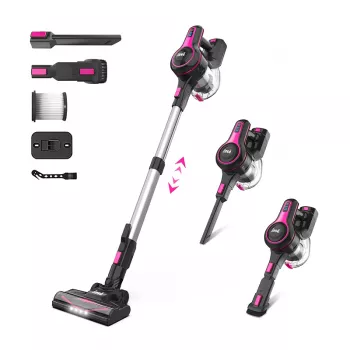
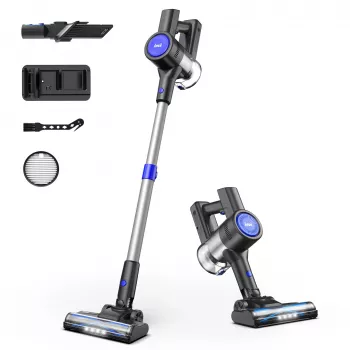
For day-to-day cleanup, pairing your tracker with a consistent cleaning routine helps you predict when you’ll need filters, bags, and enzyme cleaner. If pet hair is a frequent factor in your supply cycle, consider the Cordless stick vacuum for pet hair cleanup to keep high-shed areas under control between deeper cleans.
Digital guide pick for an instant, ready-to-use system
For a ready-to-use template designed specifically for tracking pet supplies, budgeting, and refill reminders, see the Smart Pet Supply Tracker (instant download).
FAQ
How often should refill reminders be set for pet supplies?
Start with a baseline cadence by category (weekly, biweekly, or monthly), then adjust after two or three cycles based on real usage. For essentials, set two reminders: one to order and one buffer reminder for delivery or store delays, using triggers like “open last unit” or “25% remaining.”
What’s the easiest way to track pet supply spending without getting overwhelmed?
Track only essentials first and log just the purchase date and total cost. Once that feels easy, add categories and unit cost, then do a quick monthly review and keep a small buffer line for surprise needs.










Leave a comment