Vertical Laptop & Tablet Stand: Clear Desk Space Fast
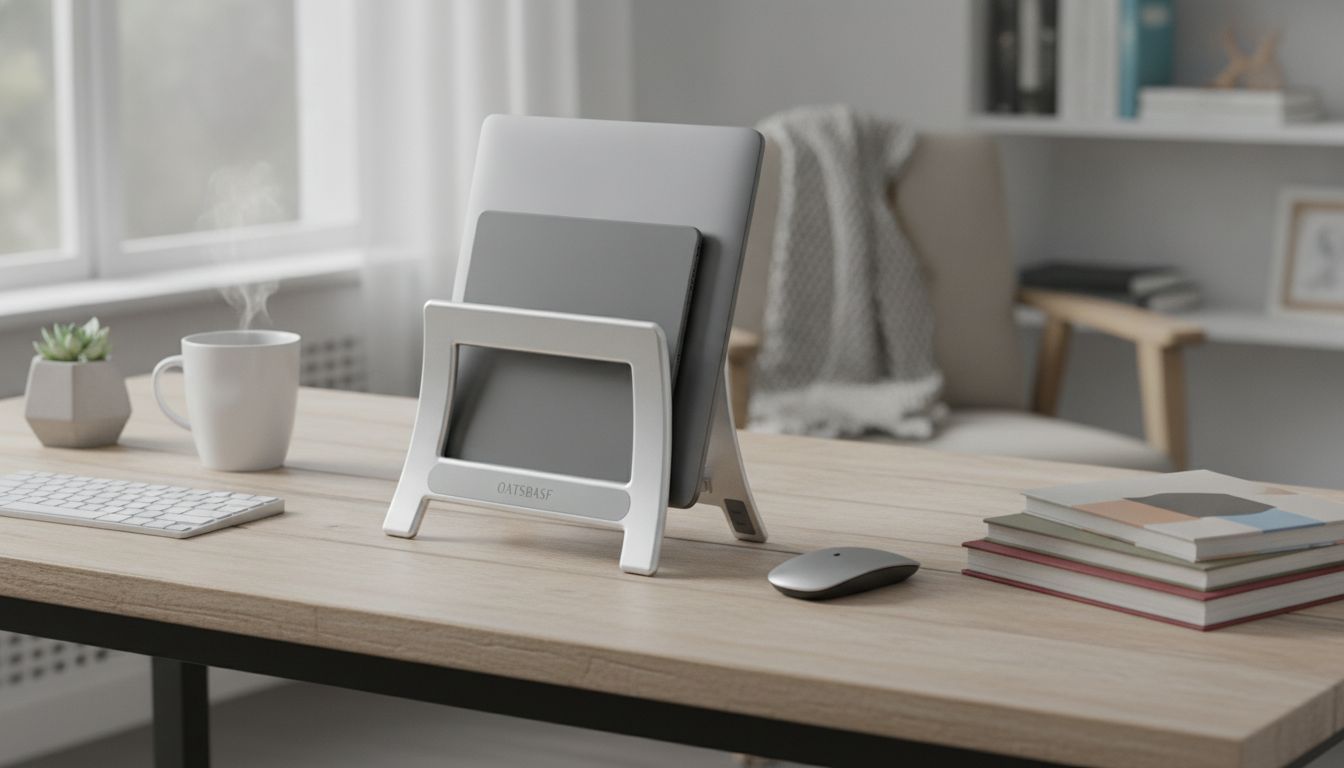
Vertical Laptop & Tablet Stand Holder: A Simple Way to Clear Desk Clutter
A vertical stand keeps a laptop or tablet upright so your workspace stays open for notes, a keyboard, a mouse pad, or a compact charging station. Instead of letting devices sprawl across the desk (or get stacked in a wobbly pile), a space-saving ABS storage dock creates a single, predictable “parking spot” that makes your setup feel calmer and easier to maintain—especially on smaller desks, shared workstations, and dorm room surfaces.
Why a vertical stand changes the feel of a desk
Most desk clutter isn’t “too much stuff”—it’s too much stuff spread out flat. Storing a laptop or tablet vertically changes the footprint instantly and makes room for what actually needs to be in front of you.
- Frees up horizontal space for writing, mouse movement, and accessories.
- Creates a dedicated home base for devices instead of stacking them flat.
- Helps keep cables more organized by positioning devices consistently.
- Supports a cleaner setup for shared desks, dorm rooms, or small home offices.
For workstation comfort, it also pairs naturally with external monitor setups. Ergonomics guidance from sources like OSHA’s Computer Workstations eTool and NIOSH ergonomics resources highlights the value of keeping frequently used items within easy reach and maintaining a layout that reduces awkward posture.
What this ABS storage dock is made for
A vertical holder is at its best when you want your device nearby, secure, and easy to grab—without it dominating the center of your desk.
- Storing a laptop vertically when connected to an external monitor.
- Parking a tablet upright between use sessions or while charging.
- Keeping a work laptop and personal tablet separated and easy to grab.
- Reducing the risk of items sliding off a cluttered desk by consolidating devices into one spot.
Fit and compatibility checkpoints before buying
Before choosing a stand, a quick measurement prevents the two most common frustrations: a too-tight slot that squeezes your device, or a too-loose fit that makes it wobble when you insert or remove it.
- Measure device thickness with any case or skin installed (not bare-device specs).
- Consider whether you plan to store the device with a protective sleeve (sleeves add bulk).
- Confirm the stand’s slot width accommodates your thickest device.
- If using with a laptop in clamshell mode, plan airflow and avoid blocking vents.
- For tablets, consider whether frequent in/out motion needs an easy grip area at the top.
Quick compatibility checklist
| Check | What to do | Why it matters |
|---|---|---|
| Thickness | Measure the device at its thickest point (include case). | Prevents a too-tight fit or wobble. |
| Stability | Ensure the base has enough footprint for heavier laptops. | Reduces tipping when inserting/removing. |
| Vent clearance | Avoid storing a running laptop if vents are blocked. | Helps manage heat during docked use. |
| Desk surface | Use on a flat, non-slip surface. | Improves grip and daily usability. |
Where it works best (and where it doesn’t)
Vertical storage is simple, but it’s not universal. It shines when your goal is a tidy “park and dock” routine—not when you need to type directly on the laptop keyboard all day.
- Best for: small desks, nightstands, hot desks, and minimalist setups.
- Best for: users who dock a laptop to an external monitor/keyboard.
- Not ideal for: active typing on the laptop itself (vertical storage is not a typing posture).
- Not ideal for: storing devices while running heavy workloads if ventilation is restricted.
If you regularly move between rooms, a vertical stand also reduces the “where did I put it?” problem—your devices always return to the same spot.
Care tips for ABS stands and stored devices
ABS is well-suited for everyday desk organization, and a little routine upkeep helps the stand and your device surfaces look good over time.
- Wipe the stand with a soft cloth; avoid harsh solvents that can haze ABS plastic.
- Keep grit off the desk surface to reduce micro-scratches from repeated insertions.
- Route charging cables so they don’t pull the device sideways.
- If the device is warm, allow airflow and avoid pressing it tightly against other objects.
Product snapshot: Vertical Laptop & Tablet Stand Holder
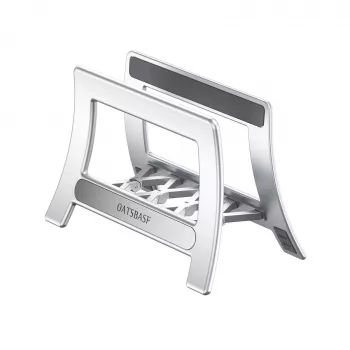
If your desk feels “full” even when you’re not using much, a single vertical holder can reset the layout fast. The Vertical Laptop & Tablet Stand Holder | Space-Saving ABS Storage Dock is designed to keep laptops and tablets neatly in one spot, making it easier to maintain a clean cable path and a clear center work zone.
At-a-glance
| Item | Details |
|---|---|
| Product | Vertical Laptop & Tablet Stand Holder | Space-Saving ABS Storage Dock |
| Price | 17.99 USD |
| Availability | In stock |
Small-space setup idea (topic-112043-attempt-1)
For organization beyond the desk—especially if your room doubles as an office—pairing desk reset habits with small-space decluttering routines helps. The Luxe Hacks for Small Closets Checklist is a handy add-on for building a lighter, less crowded environment overall.
FAQ
Will a vertical stand fit a laptop with a protective case or sleeve?
Measure thickness with the case on, since even slim shells add bulk. Most sleeves make the device too thick for a stand slot, so it’s usually best to remove a bulky sleeve before placing the device upright.
Is it safe to run a laptop while it’s stored vertically?
It can be fine for light use if the vents aren’t blocked and the laptop stays cool. If you notice rising temperatures, reduce the workload, improve airflow, or avoid running it in the stand.
Can it hold a tablet and a laptop at the same time?
That depends on whether the stand has multiple slots and enough stability for the combined handling. If it’s a single-slot design, plan on storing one device at a time and confirm it fits your thickest device securely.









Leave a comment