2.5K 4MP Baby Monitor: Cry Alerts + Virtual Fence
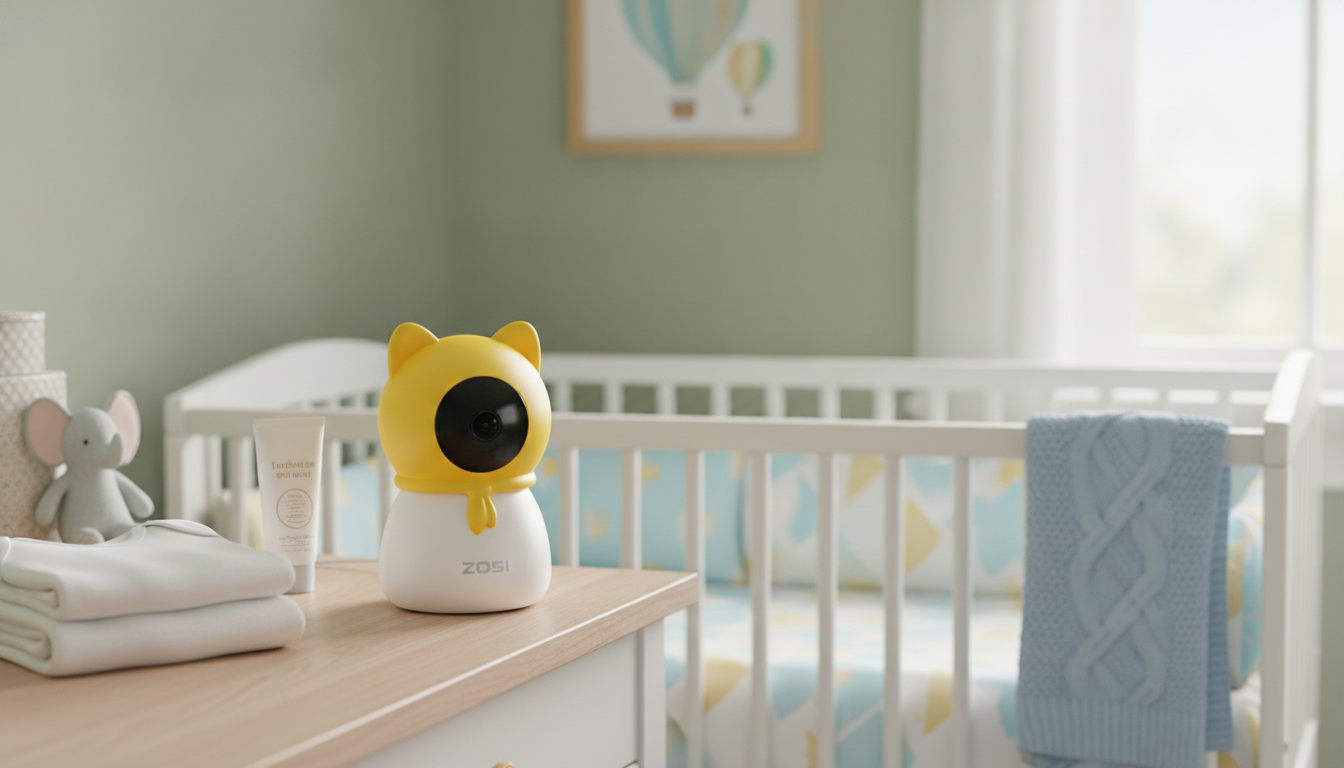
2.5K 4MP Wireless Indoor Baby Monitor with Cry Detection and Virtual Fence
A sharper, smarter indoor baby monitor can reduce check-ins while keeping caregivers alerted to what matters. This model pairs 2.5K 4MP video with cry detection and a virtual fence to help track movement in key areas like a crib, playpen, or nursery doorway. The goal is simple: clearer visuals when you need reassurance, and timely notifications when something changes.
What makes this monitor different
- 2.5K 4MP video for clearer faces, breathing motion cues, and room context compared with standard HD—especially helpful when the camera is set back to cover the whole sleep space.
- Cry detection alerts to help surface sound events that often need quick attention, so you’re not glued to the live feed.
- Virtual fence (activity zone) to flag movement crossing a defined boundary, useful for nurseries and play areas where “just a few steps” can become a safety concern.
- Wireless indoor placement for flexible positioning on shelves, dressers, or wall mounts (where supported), making it easier to adapt as the room layout evolves.
Key features at a glance
Best for: nursery monitoring, nap time, caregiver handoffs, and quiet-time supervision. Highlights: higher-resolution video, event alerts, and zone-based motion boundaries. Ideal room types: bedrooms, nurseries, playrooms, and shared living spaces.
| Feature | Why it helps | Where it’s most useful |
|---|---|---|
| 2.5K 4MP video | Improves clarity for details and low-contrast scenes | Nighttime checks, larger rooms |
| Cry detection alerts | Notifies caregivers when crying is detected | Naps, overnight, multi-room homes |
| Virtual fence | Flags movement crossing a defined area | Crib boundaries, doorway monitoring |
| Wireless indoor setup | Flexible placement without reworking the room | Rentals, shared spaces, temporary setups |
How cry detection and virtual fence work in daily routines
Cry detection is most helpful when notification volume is tuned to the home environment. After setup, test alerts during normal household noise (fans, white noise machines, hallway conversations). This quick “real life” check helps reduce unnecessary pings while keeping you confident that meaningful sounds still get through.
A virtual fence is typically set around a crib perimeter, playpen edge, or a doorway line to highlight movement that matters—standing up, climbing, or moving out of a safe area. Instead of watching constant motion across the entire frame, the focus stays on the boundary you care about most.
For best results, position the camera so the zone boundary is clear and stable. Avoid aiming at moving curtains, ceiling fans, or bright windows; those can trigger motion events and make alerts feel less trustworthy over time.
Placement tips for clearer video and fewer false alerts
- Use a slightly elevated angle that captures the full sleep surface while avoiding direct glare from windows or lamps. A higher viewpoint also makes it easier to draw a precise virtual fence around the crib or doorway.
- Keep the camera out of reach and route any cables safely away from crib areas (if power is required). This supports safer sleep spaces and minimizes temptation for curious toddlers.
- Minimize reflective surfaces (mirrors, glossy frames) in the field of view to reduce nighttime IR reflections that can look like haze or fog.
- Account for pets: if cats or dogs move through the room, set the virtual fence to focus on the crib/play area rather than the floor to cut down on routine, unhelpful alerts.
Connectivity, privacy, and household sharing
Any Wi‑Fi-connected camera benefits from a few practical privacy habits. Use a strong home Wi‑Fi password and keep router firmware updated to reduce security risks. The NIST home cybersecurity guidance is a solid baseline for families who want a straightforward checklist.
When possible, create separate user access for caregivers and remove access when it’s no longer needed. It’s also smart to keep the view purposeful—avoid placing the camera where it captures sensitive household areas beyond the nursery. For general privacy best practices, the FTC’s recommendations for protecting privacy online are helpful.
Finally, review notification settings so alerts remain useful rather than constant. The best monitor is the one that helps you respond quickly without adding background stress.
Who this monitor suits best
While technology can support peace of mind, safe sleep fundamentals still matter. For evidence-based guidance, review the American Academy of Pediatrics safe sleep recommendations.
Recommended in-stock picks
- 2.5K 4MP Wireless Indoor Baby Monitor with Cry Detection and Virtual Fence — a strong fit for sharper indoor video plus zone-based monitoring.
- 20Kpa Cordless Stick Vacuum Cleaner for Hard Floor, Carpet & Pet Hair, Rose Red — useful for quick nursery cleanups, especially around rugs and pet hair.
- Cordless Vacuum Cleaner, 235W Brushless Motor, 40Min Runtime, 6-in-1 Lightweight for Household Cleaning — a lightweight option for frequent tidy-ups in bedrooms and play spaces.
Setup checklist for a smooth first day
Common issues and quick fixes
FAQ
Does cry detection replace listening for the baby?
No. Cry detection works best as an extra layer of awareness, not a substitute for appropriate supervision and safe sleep practices. Tune notification settings to your home’s normal sound levels so alerts stay meaningful.
How should a virtual fence be set for a crib or play area?
Draw the boundary around the area of concern—such as the crib edge, playpen perimeter, or a doorway line—rather than the entire camera view. Keep the zone away from moving curtains or bright windows, then test and refine it for fewer false alerts.
Is 2.5K video noticeably better than 1080p for nursery monitoring?
Often, yes—especially when the camera sits farther back to cover more of the room, since higher resolution helps preserve detail at a distance. The visible difference depends on lighting, your viewing screen size, and network quality.











Leave a comment