AI Weekly Content Checklist: Plan, Repurpose, Publish

What a weekly content checklist does (and why it works)
A weekly content checklist is a single, repeatable system that turns “What should I post?” into a short series of decisions you can complete on autopilot. Instead of juggling scattered notes, half-finished drafts, and last-minute posting, the checklist creates one place to track everything: ideas, drafts, visuals, links, approvals, scheduling, and a quick analytics review.
The real win is momentum. When tasks are batched—research together, writing together, distribution together—you spend less time context-switching and more time finishing. It also keeps channels aligned so one strong blog post can naturally become social posts and a newsletter without redoing the work three times. Over time, the checklist makes publishing feel like a routine rather than a weekly reinvention, and visible progress helps keep you consistent during busy stretches.
A simple AI-assisted weekly workflow (Monday to Friday)
This Monday-to-Friday flow centers on one “core asset” each week (usually a blog post), then converts it into platform-ready variants. AI can speed up the repetitive parts—organizing, summarizing, tightening—while your perspective and examples keep it specific and human.
Monday: Choose a single focus
Pick one core topic, define the audience takeaway, and choose a clear next step (download, shop, reply, book, or read). Then map three supporting angles that can become social posts and an email.
Tuesday: Gather proof and shape the outline
Build a quick stack of 3–5 supporting points, examples, and sources. If you publish regularly, add internal link targets now so the draft naturally connects to your existing pages.
Wednesday: Draft, then tighten
Write the main draft in one sitting. After you have a complete version, use AI to tighten structure, clarify headings, and remove repetition—without overwriting your tone.
Thursday: Repurpose for each channel
Create short captions, a thread-style sequence, carousel bullets, and a newsletter version (short intro, key takeaways, and a direct call-to-action). Reuse the same hero concept and a couple supporting graphics so visuals stay consistent.
Friday: Quality check, schedule, and learn
Run a fast QA pass: links, claims, formatting, and mobile readability. Schedule everything, then note one improvement for next week based on performance (for example: stronger hook, clearer CTA, or better timing).
| Day | Goal | Checklist items | AI assist (optional) |
|---|---|---|---|
| Mon | Plan | Choose topic; define CTA; list 5 audience questions; pick publish dates | Brainstorm angles; turn questions into titles |
| Tue | Research & outline | Collect sources; outline sections; define examples; add internal link targets | Summarize sources; propose outline variations |
| Wed | Draft | Write first draft; add visuals placeholders; insert CTAs | Rewrite for clarity; create 3 headline options |
| Thu | Repurpose | Create 5–7 social posts; draft newsletter; make image/caption pairs | Generate short-form variants; adapt tone per platform |
| Fri | Publish & review | Proofread; check links; schedule; review last week metrics | Create a QA checklist; suggest tests for next week |
How to automate weekly content with AI without losing your voice
Automation works best when you treat AI as a power tool, not a replacement. Start with a simple “voice brief” you can paste into your workspace: your audience, tone (friendly and direct, witty, minimalist, etc.), taboo phrases, and formatting preferences (short paragraphs, bullets, punchy subheads).
Then run the same edit pass every week: shorten long sentences, remove repeated points, verify claims, and add concrete examples. The “human layer” is what makes content durable—personal experience, real customer questions, screenshots, or internal metrics that AI can’t invent. For guidance on publishing content that prioritizes people, Google’s recommendations are a solid baseline: Google Search Central: Create helpful, reliable, people-first content.
Repurposing map: one idea turned into a week of content
For skimmable formatting, it helps to remember how people scan: headings and the first lines do a lot of work. The Nielsen Norman Group’s research is a useful reminder when you’re tightening layout: F-Shaped Pattern of Reading on the Web.
The digital planner setup that makes the checklist stick
Product spotlight: AI-Powered Weekly Content Checklist (digital planner)
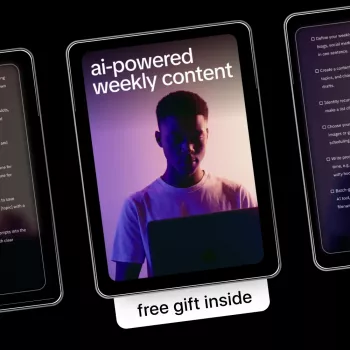
If a single page could replace scattered notes, half-finished drafts, and last-minute scheduling, it would look like AI-Powered Weekly Content Checklist – how to automate weekly content with ai for Blogs, Social Media & Newsletters | Simple Digital Planner for Creators & Small Businesses. It’s designed for creators and small businesses who want a repeatable weekly routine rather than a complex system that takes more time to manage than to use.
Who it fits best
| User type | Common challenge | How the checklist helps |
|---|---|---|
| Solo creator | Too many ideas, not enough follow-through | Turns ideas into a weekly execution plan |
| Small business owner | Inconsistent posting across channels | Aligns blog, social, and newsletter tasks |
| Freelancer/marketer | Client work gets scattered | Creates a single weekly view for deliverables and deadlines |
For a second “keep life organized” companion, Luxe Hacks for Small Closets Checklist | Digital Download Closet Organization Guide, Minimalist Wardrobe Decluttering Tips, Small Space Storage Solutions is a practical add-on when you want the same checklist mindset applied to your home routines.
Common pitfalls (and quick fixes)
FAQ
What should be included in a weekly content checklist?
Include planning (topic and CTA), production (outline, draft, visuals), editing (QA, links, and claim checks), distribution (scheduling per channel), and review (one metric note plus one improvement for next week).
Can AI automate weekly content without making it sound generic?
Yes—use AI for outlines and variants, keep a voice brief and a reusable content bank, and add real examples and a final human edit pass to preserve your tone and specificity.
How many pieces of content should be created from one blog post?
A practical baseline is 3–7 social posts plus one newsletter. Increase volume only after the weekly routine feels stable and consistently shippable.










Leave a comment