AI Draft Versioning Checklist: Names, Logs, Approvals
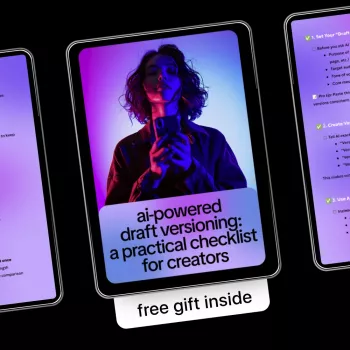
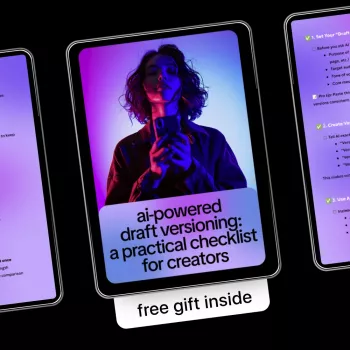
AI-Powered Draft Versioning: A Practical Checklist for Creators
Drafts multiply fast: outlines, messy first passes, collaborator notes, and “almost final” exports. A clean versioning system keeps ideas searchable, changes reversible, and approvals predictable—without slowing creation. The workflow below focuses on simple naming rules, lightweight logs, and AI-assisted comparisons so every revision stays traceable from first sketch to final publish-ready file.
What draft versioning is (and what it is not)
Draft versioning is a repeatable way to label, store, compare, and roll back revisions across writing, scripts, captions, newsletters, and content briefs. The goal is clarity: anyone (including future-you) can quickly identify the latest approved file and confidently recover an earlier decision.
Versioning is not the same as “saving backups.” Backups are useful, but versioning requires consistent identifiers (project, date, state), a change record, and a review checkpoint. A workable system answers three questions instantly: What changed? Why did it change? Which version is approved?
AI can accelerate the boring parts—summarizing diffs, extracting decisions, and generating clean release notes—while you keep final control over what ships.
Set up your “version spine” before using AI
AI works best when the underlying structure is stable. Before automating anything, build a “version spine” that keeps your drafts from branching into chaos.
1) Pick a single source of truth
Choose one primary document per asset (your master). Keep exports (PDF, DOCX, SRT, MD) as derivatives, not competing masters. If you rely on cloud docs, use native version history as your first line of rollback (see Google’s guide on version history in Google Docs or Microsoft’s version history resources).
2) Use a naming convention that encodes status + chronology
A reliable pattern prevents “final_v7_REALFINAL” disasters. One simple option:
Project_Slug__v01__Draft
Project_Slug__v02__RevA
Project_Slug__v03__Approved
3) Standardize status labels
Keep statuses aligned to how work moves:
Draft → Revised → Reviewed → Approved → Published → Archived
4) Decide where versions live
Choose one home base: cloud doc history, a folder with timestamped exports, or a repository-like structure (even without code). If you’re curious why developers love version control, Git’s documentation explains the concept clearly: About version control.
5) Pick one change log format
Use a single, consistent log: a small table at the top of the doc, a running “Version Log” section, or a separate CHANGELOG file per project. Consistency matters more than sophistication.
Smart ways to use AI during versioning checkpoints
Think of AI as a fast analyst at each checkpoint—useful for summaries and alerts, not as the system of record.
- Diff summary: Compare two drafts and produce a short summary of meaningful edits (structure changes, claims altered, tone shifts).
- Decision extraction: Pull out what was approved, what was deferred, and what remains unresolved after a review round.
- Consistency checks: Flag terminology drift (product names, character names, metrics) and style inconsistencies introduced across revisions.
- Risk scan: Detect newly added claims that might need citation, permission, or sensitivity review (especially for client work and health/finance topics).
- Compression for handoffs: Generate a one-paragraph “what’s new” note for collaborators, editors, or stakeholders per version.
Where AI fits best in a draft versioning workflow
| Checkpoint | Manual best practice | AI assist | Output to save with the version |
|---|---|---|---|
| Before editing begins | Lock a baseline and define scope | Summarize the baseline and list open questions | Baseline summary + open questions list |
| After a major rewrite | Rename version + update change log | Create a structured diff summary and highlight sections needing review | Diff summary + review flags |
| After stakeholder comments | Resolve comments and mark decisions | Extract decisions, unresolved items, and action list | Decision log + action list |
| Before final approval | Run consistency and compliance checks | Scan for claim changes, tone drift, and missing citations | Pre-approval checklist results |
| After publishing | Archive and link the final | Generate a release note and “lessons learned” bullets | Release note + retrospective bullets |
Practical checklist: versioning habits that prevent rework
- Baseline: Duplicate the initial draft as v01 and mark it “Draft” before large edits begin.
- One change, one version: Create a new version for each meaningful round (structure rewrite, client review, legal review, final polish).
- Log intent: For every version, record why the change happened (feedback, new data, brand update, platform constraints).
- Snapshot before risky edits: When experimenting with tone, hooks, or positioning, branch as “Alt” versions (e.g., v04a, v04b).
- Track approvals: Store who approved what and when (even if it’s just a note line).
- Attach assets: Keep research links, quotes, and source notes adjacent to the version that introduced them.
- Prevent overwrite: If multiple collaborators edit, assign edit windows or require a “pull latest, then edit” rule in shared docs.
A lightweight version log creators can maintain in minutes
Common failure points and how to avoid them
Printable digital checklist for repeatable versioning
For a downloadable template built around these checkpoints, see AI-Powered Draft Versioning: A Practical Checklist for Creators | Smart Ways to Use AI for Draft Versioning. If you also want a separate, structured checklist for organizing the physical side of creating (gear, samples, storage), Luxe Hacks for Small Closets Checklist can help keep equipment and supplies from becoming another source of “lost versions.”
FAQ
How many versions should a typical creative project keep?
Keep every major checkpoint: baseline, each review round, approved, and published. Minor micro-edits can stay within the same version when risk is low, as long as reversibility and auditability are preserved.
Can AI replace document version history tools?
No—AI is best for summarizing and comparing changes, not for acting as the system of record. Pair AI with native version history, timestamped exports, or a structured folder approach so your approvals and rollbacks remain dependable.
What should be included in a version log entry?
Include version ID, date, owner/editor, status, a short change summary, rationale, approvals, and links to related assets. AI can generate the summary and action items, but the log should store the final, human-verified record.











Leave a comment